

Citation Machine is a free web-based tool that automatically generates formatted citations in seconds by allowing you to input source details like book titles, URLs, or journal names and selecting from over a thousand citation styles including MLA, APA, Chicago, Harvard, and Turabian. Rather than manually formatting each citation according to complex style guidelines, you enter basic information about your source, choose your citation format, and the tool produces a properly formatted reference you can copy into your bibliography.
The appeal is obvious for students and researchers facing tight deadlines: Citation Machine handles books, websites, journals, newspapers, films, interviews, government publications, and dozens of other source types, saving hours of tedious formatting work. The platform has evolved beyond simple citation generation to include writing assistance features like grammar checks, proofreading tools, and a plagiarism checker that compares your work against billions of sources.
But automation comes with responsibility. Citation generators work from the information you provide, which means incomplete or inaccurate input produces flawed citations that can undermine your credibility. “The challenge with any automated tool is that it can’t replace critical thinking about source evaluation and citation accuracy,” notes librarians who regularly guide students through research processes. Citation Machine serves as a starting point, not a final answer.
This guide walks you through using Citation Machine effectively, from gathering the right source information before you start to verifying your generated citations against official style manuals. You’ll learn which details matter most for different source types, how to catch common formatting errors, and when manual adjustments are necessary to meet academic standards.
What You’ll Need to Get Started
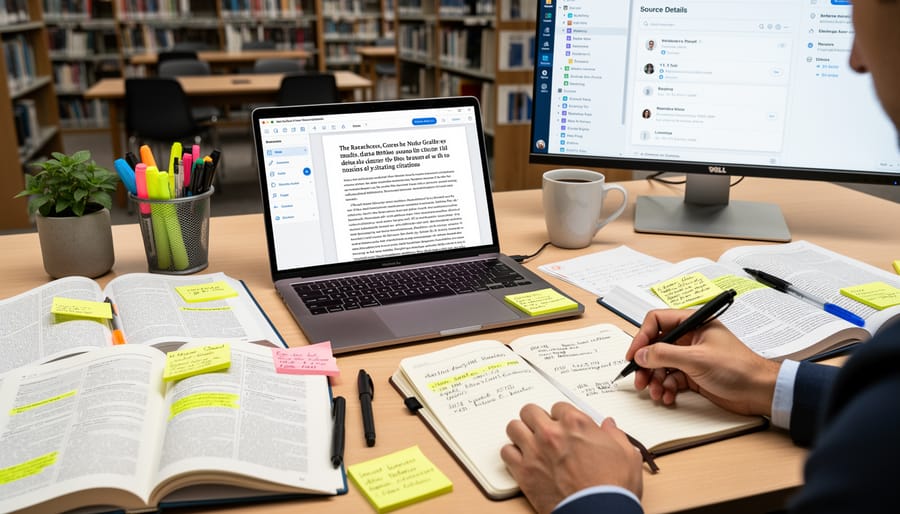
Before you begin generating citations, gather everything you need to make the process quick and accurate. Having your materials ready beforehand saves time and reduces errors when entering information into Citation Machine.
You’ll need the following:
- Complete source details: author names, article or book title, publication date, publisher, URL (for web sources), page numbers, and volume/issue numbers where applicable
- The citation style required by your instructor, institution, or publication (APA, MLA, Chicago, Harvard, or Turabian)
- Internet access and a web browser to reach the Citation Machine website
- Optional: A Citation Machine account if you want to save and organize your citations for future use
The more complete your source information, the more accurate your generated citations will be. If you’re missing a detail like a publication date or author name, you can still proceed, but you’ll need to verify whether your citation style requires that element or allows you to omit it.
Citation Machine offers a free tier that supports citation generation in all major styles and includes basic grammar checking. For those who want additional features like the plagiarism checker that scans against billions of sources and the full Writing Assistant suite, Citation Machine Plus provides a 3-day free trial with the option to cancel anytime. You can start with the free version and decide later whether the premium tools fit your needs.
Understanding Citation Styles and When to Use Them
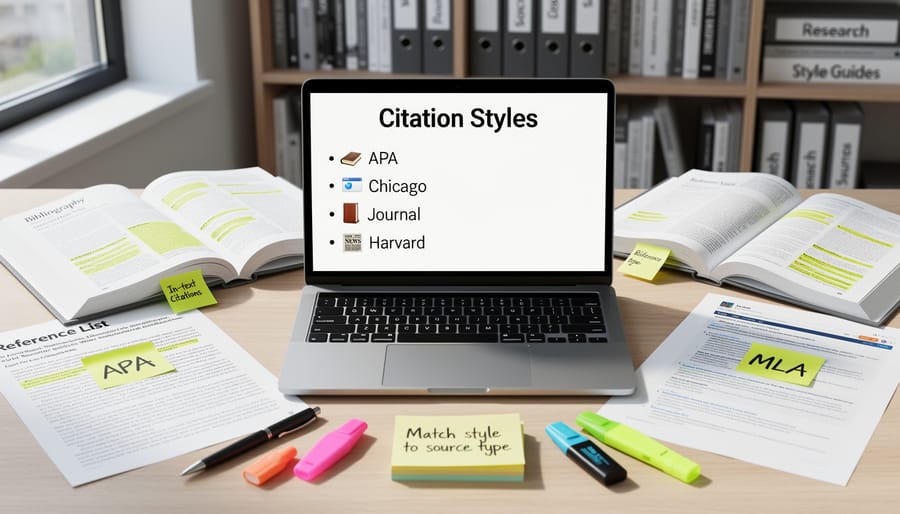
Choosing the right citation style matters because each discipline has developed formatting conventions that reflect how scholars in that field communicate and organize information. Citation Machine supports thousands of styles, but five dominate academic work: APA, MLA, Chicago, Harvard, and Turabian.
MLA (Modern Language Association) is the standard for humanities courses, literature, languages, philosophy, and cultural studies. If you’re writing about novels, poetry, or film analysis, your instructor likely expects MLA format with its emphasis on author names and page numbers.
APA (American Psychological Association) rules social sciences: psychology, education, sociology, nursing, and business. Its focus on publication dates reflects these fields’ emphasis on current research and evolving findings.
Chicago style appears in two forms: notes-bibliography (preferred in history, art history, and some humanities) and author-date (used in sciences and social sciences). Harvard style, popular at UK universities and in some scientific fields, resembles APA but with distinct punctuation and formatting.
Turabian, adapted from Chicago specifically for student papers, offers flexibility across disciplines and simplifies some of Chicago’s more complex rules. Many high school and undergraduate programs default to Turabian for general research assignments.
Your assignment guidelines or course syllabus should specify which style to use. When in doubt, ask before you begin citing, switching styles midway through a project wastes time and risks formatting errors.
Important Limitations to Know Before You Begin
Citation Machine dramatically speeds up the formatting process, but it’s a formatting assistant, not a substitute for understanding how citations work or why they matter. The tool automates the technical details of arranging author names, dates, and punctuation according to style guide rules, yet it can’t verify whether you’ve entered the correct information or chosen the appropriate source type. You remain responsible for the accuracy of every citation you submit.
Citation generators occasionally stumble on sources that don’t fit standard templates: unusual publication formats, sources with multiple authors or no clear publication date, government documents with complex attribution, or materials published across multiple media. When Citation Machine encounters ambiguous information, it makes its best guess based on the data you provide, but that guess may not align with your instructor’s interpretation of the style guide. The tool also can’t catch errors in the source details you enter, if you mistype an author’s name, transpose digits in a publication year, or paste an incomplete URL, those mistakes will appear in your formatted citation.
Understanding citation principles helps you spot these issues. Knowing that APA requires retrieval dates for certain online sources, or that MLA formats containers differently than standalone works, allows you to evaluate whether a generated citation looks right. This knowledge supports academic integrity: you’re not just mechanically producing a reference list, but demonstrating that you’ve engaged with credible sources and can transparently show readers where your information originated. Citation Machine handles the tedious formatting work, freeing you to focus on that intellectual responsibility rather than wrestling with punctuation rules.
Step-by-Step: Generating Your Citations
Step 1: Select Your Source Type
When you land on Citation Machine’s homepage, you’ll see a search bar at the top where you begin the citation process. Start by selecting your citation style from the dropdown menu, APA, MLA, Chicago, Harvard, or Turabian, then look for the source type selector directly below it.
Citation Machine organizes sources into intuitive categories that cover virtually any material you might need to cite. The most common types appear prominently: books, websites, journal articles, and newspapers. But the tool supports far more specialized sources than most users initially realize. You can generate citations for films and online videos, advertisements, blog posts, dissertations and theses, interviews (whether published or conducted personally), patents, conference proceedings, government publications, court cases, and even software.
If you’re citing something unusual, a brochure, a map, a cartoon, or a Bible passage, scroll through the full list of source types. Citation Machine includes categories for manuscripts, lectures, letters, reports, photographs, music recordings, and TV or radio broadcasts.
The key to accurate formatting is matching your source to the correct category. A journal article accessed through an online database needs the “Online Database” option, not simply “Website.” A chapter from an edited book requires “Chapter” rather than “Book.” Taking a moment to identify the precise source type ensures Citation Machine pulls up the right fields and formats your citation according to the specific rules that apply to that material.
Step 2: Enter Source Information and Generate the Citation
Once you’ve selected your source type, Citation Machine presents a form with fields specific to that source. The required fields vary depending on what you’re citing, a book needs author names, title, publisher, and publication year, while a website requires the page title, site name, URL, and access date.
Start by filling in the author information. Enter names in the format shown (typically Last Name, First Name), and use the “Add another contributor” option if your source has multiple authors. For the title field, copy it exactly as it appears on the source, including any subtitles. Pay attention to capitalization, the tool will format it correctly for your chosen style, but accurate entry ensures the best results.
Next, complete the publication details. For print sources, include the publisher name and publication year. For online sources, paste the full URL and note the date you accessed the page. If you’re citing a journal article, enter the volume and issue numbers along with page ranges.
Look for the auto-fill or search function many forms offer, you can sometimes enter an ISBN, DOI, or URL and have Citation Machine retrieve the details automatically. However, always review auto-filled information for accuracy before proceeding.
Once all required fields are complete, click the “Generate Citation” button. The tool instantly creates a properly formatted reference entry in your selected style, ready to copy into your bibliography.
Step 3: Create In-Text Citations
After generating your full citation, Citation Machine creates the corresponding in-text citation automatically. Look for the in-text citation displayed alongside your reference list entry, it shows exactly how to cite this source within your paper’s text.
The format varies by style. APA uses author-date notation like (Smith, 2025), while MLA uses author-page format such as (Smith 23). Chicago might use footnote numbers or author-date depending on your variant. Citation Machine handles these differences for you, formatting each in-text citation to match your chosen style’s requirements.
Copy the in-text citation and paste it at the appropriate point in your document, typically right after the quote, paraphrase, or idea you’re referencing. Every in-text citation must have a matching full entry in your reference list. This pairing allows readers to find complete source information quickly, which is fundamental to academic integrity.
For sources without authors or page numbers, Citation Machine adjusts the format accordingly, using titles or other identifying elements as needed.
Step 4: Save and Export Your Bibliography
Once you’ve generated citations for all your sources, Citation Machine lets you organize them into a complete bibliography ready for your paper. The interface displays your citations as you create them, building your reference list automatically.
You can add multiple sources in succession, simply generate each citation and it joins your growing list. The tool keeps all your entries together in one workspace, so you’re assembling your bibliography as you go rather than juggling separate citations across different documents or notes.
When your reference list is complete, look for the export or save options. Citation Machine allows you to copy your formatted bibliography directly, making it straightforward to paste into your document. The citations appear in the correct alphabetical order and formatting for your chosen style, whether APA, MLA, Chicago, Harvard, or Turabian.
Before inserting your bibliography into your final paper, scan through the list one more time. Confirm that all your sources appear, that the alphabetical order is correct, and that formatting remains consistent. This quick review catches any last issues before submission and ensures your bibliography presents a polished, professional appearance.
Step 5: Check Your Paper for Quality and Originality
Once you’ve generated your citations, Citation Machine offers several tools to elevate your paper’s overall quality. The plagiarism checker scans your writing against billions of sources to help you identify any unintentional overlaps or areas that need better paraphrasing and citation. This catches issues before submission, protecting your academic integrity.
The Writing Assistant provides grammar checks and writing suggestions to strengthen your prose, while the proofreader catches typos and formatting inconsistencies. If you need to rephrase borrowed ideas, the paraphrasing tool helps you express concepts in your own words, though you’ll still need to cite the original source properly.
These features work together: accurate citations demonstrate where your ideas came from, while the quality tools ensure your own writing meets professional standards. It’s the combination that produces truly polished academic work.
Verifying Your Citations Are Correct
Even Citation Machine’s automated formatting needs a final review before you submit your work. While the tool handles most technical details, you’re still responsible for accuracy, and a quick check catches any edge cases the system might miss.
Start by comparing a few generated citations against official examples in your style guide. The Purdue OWL, Modern Language Association, and American Psychological Association all publish free citation guides online. Does your book citation match the order and punctuation shown for books? Do article citations include all required elements? This cross-reference reveals whether the tool interpreted your source correctly.
Run through this verification checklist for each citation:
- Confirm all required elements appear: author names, publication dates, titles, publisher information, page numbers, and URLs where applicable
- Check formatting consistency across punctuation (periods, commas, colons), capitalization patterns, and italics or quotation marks around titles
- Verify in-text citations match their corresponding reference list entries exactly in author names and dates
- Review any unusual sources, patents, interviews, government documents, against specific style guide examples for those types
- Scan your entire bibliography for consistent formatting from first entry to last
Pay special attention to details Citation Machine can’t verify: Did you spell the author’s name correctly from your original source? Is that publication date accurate? Small input errors create incorrect output, no matter how well the software works.
When you’re uncertain about how to cite sources that don’t fit standard categories, consult your instructor or publication editor directly. They understand the specific requirements for your assignment or journal and can clarify ambiguous cases. Style guides evolve, and institutions sometimes adopt modified versions, your instructor’s guidance overrides the general tool output.
Think of Citation Machine as a highly capable assistant rather than the final authority. It eliminates tedious formatting work, but your judgment ensures the citations serve their real purpose: giving proper credit and allowing readers to find your sources.
Advanced Features and Next Steps
Citation Machine Plus expands on the free version with enhanced capabilities available through a 3-day free trial that you can cancel anytime. The Plus subscription provides access to the full suite of writing tools, including advanced plagiarism detection across billions of sources, comprehensive grammar checks, and detailed writing suggestions to strengthen your academic work.
Beyond the tool itself, developing strong citation practices will serve your research long-term. Keep organized research documentation from the start: record full bibliographic details as soon as you encounter a source, rather than scrambling to find information later. Cite sources as you write each section of your paper instead of adding citations afterward, which reduces errors and helps you track where ideas originated.
Take time to familiarize yourself with the underlying principles of your required citation style. While Citation Machine handles the formatting mechanics, understanding why citations matter and how they function in scholarly communication makes you a more confident, capable researcher. Many university writing centers offer workshops on citation practices, and official style guides from APA, MLA, and Chicago provide detailed explanations beyond basic formatting rules.
Common Questions About Using Citation Machine
Can I cite any type of source with Citation Machine?
Yes, Citation Machine supports thousands of source types including books, websites, journals, newspapers, films, online videos, databases, advertisements, blogs, dissertations, interviews, patents, photographs, software, TV and radio programs, and many more specialized formats.
Do I need to create an account to use Citation Machine?
No, you can generate citations in major styles like APA, MLA, Chicago, Turabian, and Harvard without creating an account. However, an account lets you save citations and access additional features through Citation Machine Plus.
Is Citation Machine actually free?
The basic citation generator is free for creating citations in thousands of styles. Citation Machine Plus offers enhanced features with a free 3-day trial, which you can cancel anytime if you don’t want to continue with the paid version.
How accurate are citations generated by Citation Machine?
While Citation Machine formats citations based on established style guidelines, automated tools can occasionally misformat complex or unusual sources. Always verify your generated citations against the official style guide and check that all information is complete and accurate before submitting your work.
When citing unusual or complex sources like personal communications, social media posts, or multimedia works with multiple contributors, pay extra attention during verification. The tool handles standard formatting rules well, but edge cases may require manual adjustment. If you’re uncertain about a particular citation, consult your instructor or the official style manual for your discipline. Citation Machine works best when you understand the underlying principles of your required citation style and can spot potential issues in the generated output.
Citation Machine takes the tedious formatting work off your plate, freeing you to concentrate on developing strong arguments and clear prose. The tool handles the mechanical details, italics, punctuation, ordering, so you don’t have to memorize every style manual quirk. But speed and convenience don’t replace responsibility. Always verify that your generated citations are accurate and complete, and make sure you genuinely understand why you’re citing each source and how it supports your work. Use Citation Machine as one part of a disciplined research practice: track your sources carefully, cite as you write, and review everything before submission. When you pair the tool’s efficiency with your own attention to detail and academic integrity, you’ll produce work that’s both well-documented and credible.